

Every old photograph tells a story—a snapshot of a moment in time, a memory frozen with loved ones, or a glimpse into history. But time is not kind to physical prints. Exposure to light, moisture, and simple age causes photos to fade, crack, blur, and lose their vibrance. For years, restoring these precious heirlooms was a painstaking, expensive process reserved for professional archivists and specialized graphic designers.
However, the digital landscape has changed dramatically. We are now in the age of Artificial Intelligence, and AI has brought a revolution to the field of photo restoration, making it accessible, instant, and incredibly effective.
If you have boxes of cherished, low-resolution images gathering dust, waiting to be seen in their full glory, this guide is for you. We will dive deep into how you can convert old photos to HD quality, understand the technology behind it, and show you exactly where to find the best tool to perform this digital miracle.
Why Do You Need to Convert Old Photos to HD? The Problem with Faded Prints
The need to upscale old photos to 4K or HD isn’t just about aesthetics; it’s about preservation and clarity. Traditional photos suffer from several fundamental issues that reduce their quality:
1. Fading and Color Shift
Over decades, the chemical pigments in photographic paper degrade. Colors bleed, yellows intensify, and the overall image becomes dull and faded. A vibrant memory turns into a sepia-toned ghost of its former self.
2. Physical Damage and Imperfections
Creases, tears, scratches, water damage, and even mold can physically scar a photograph. While these marks are a testament to the photo’s age, they severely distract from the subject matter.
3. Low Resolution and Blurriness
Before the digital age, photos inherently had lower resolution compared to modern digital sensors. Scanning an old 4×6 print at standard settings often results in a blurry, pixelated image when viewed on a high-definition monitor or a large print. This is especially true for vintage or very small photographs. You need a way to make blurry old photos clear.
4. The Challenge of Face Clarity
In many old group photos, faces—the most important elements—are often soft, out of focus, or heavily damaged. Manually restoring facial features is the most demanding and time-consuming part of traditional restoration.
While simple editing software can adjust brightness or crop an image, it cannot recreate missing detail or genuinely upscale the resolution without causing severe pixelation. This is where Artificial Intelligence steps in, offering a solution that was unimaginable just a few years ago.
The AI Revolution: How AI Converts Low-Quality Images to HD
The process of taking a low-resolution, damaged photo and transforming it into a clear, high-definition masterpiece is no longer magic; it’s machine learning. Specifically, sophisticated algorithms, often built on Generative Adversarial Networks (GANs), power the next generation of AI photo restoration tools.
What is a GAN and Why Does It Matter for Image Quality?
A GAN consists of two neural networks working together:
- The Generator: This network takes your damaged, low-resolution photo as input and tries to generate a new, high-resolution version. It essentially attempts to fill in the missing pixels, sharpens blurred edges, and recreates texture.
- The Discriminator: This network acts as a critique. It looks at the Generator’s output and compares it to thousands of real, high-quality images it has been trained on. Its job is to determine if the generated image looks authentic or fake.
Through continuous training and competition, the Generator gets better and better at fooling the Discriminator, resulting in outputs that are incredibly natural, sharp, and detailed. This is how modern tools can perform true HD image conversion—they don’t just stretch the image; they intelligently reconstruct it.
Key AI Techniques Used in HD Conversion
Modern AI image converter HD solutions combine multiple models to achieve comprehensive restoration:
A. Super-Resolution Upscaling
This is the core process of boosting the image resolution (e.g., from 600px to 4000px). Unlike simple bilinear or bicubic scaling (which just averages pixels), AI Super-Resolution intelligently adds new pixels based on patterns learned from billions of images, producing genuinely sharp details and allowing you to upscale old photos to 4K quality.
B. Denoising and Scratch Removal
AI models can differentiate between actual image content (a person’s clothing, a landscape) and defects (scratches, dust, grain). It precisely removes the artifacts without smoothing out or destroying the important fine detail.
C. Color Restoration and Colorization
For faded colour photos, AI automatically corrects the color balance and saturation, bringing back the original vibrancy. For black and white photos, advanced AI colorization models can accurately guess and apply natural colors (skin tone, clothing colors, sky blue) based on context and training data.
D. Specialized Face and Portrait Enhancement
Since faces are often the focal point, dedicated AI models focus solely on them. These models expertly sharpen eyes, define hair and mouth contours, and refine skin texture, ensuring the people in your memories look their absolute best, even if the original photo was severely degraded.
The convergence of these AI features means that what used to take a graphic designer hours can now be done online in seconds.
Discover the Best Tool to Convert Old Photos to HD Online
The biggest challenge now is finding an AI tool that is powerful, easy to use, and delivers high-quality results. Many online tools offer simple filters, but few possess the advanced GAN capabilities needed for true restoration.
We highly recommend exploring a robust, dedicated platform designed specifically for this task: ImageConvertHQ’s Old Photo to HD Tool.
Ready to see the magic for yourself?
CLICK HERE TO TRY THE REVOLUTIONARY AI TOOL: https://imageconverthq.com/old-photo-to-hd/
This specific AI tool has been engineered to be your one-stop solution for transforming historical images into stunning modern quality.
Why ImageConvertHQ is the Top Choice for HD Conversion
When seeking an online hd image converter, you need reliability, speed, and superior results. ImageConvertHQ stands out for several reasons:
1. Focus on Restoration Quality
Unlike generic image editors, this tool is laser-focused on the unique challenges of old photos. Its AI models are specifically trained on datasets containing damaged, faded, and low-resolution archival images. This specialization leads to unmatched quality in scratch removal and detail reconstruction.
2. True HD and 4K Upscaling
The tool doesn’t just enlarge; it enhances. It employs Super-Resolution algorithms to upscale old photos significantly, often delivering output resolutions perfect for high-quality printing or modern displays. This makes it an ideal 4K image upscaler.
3. Seamless User Experience
The beauty of modern AI is its simplicity. The platform requires no complex software installation or technical knowledge. It’s a three-step process designed for anyone to use, regardless of their experience level.
4. Integrated Colorization and Enhancement
The tool often provides options not just for restoration but for enhancement, including automatic colorization for black and white images, and advanced skin and facial detail smoothing, ensuring an all-in-one restoration experience. If you need to restore faded pictures, this is the place to start.
Step-by-Step Guide: How to Restore and Upscale Your Memories
Using the ImageConvertHQ tool to convert old photos to HD is straightforward. Here’s a simple breakdown of the process:
Step 1: Digitize Your Photo
Before you can use any online tool, your physical photo must be a digital file. You can do this in two ways:
- Scanning: Use a flatbed scanner for the best quality. Scan at a high DPI (600 DPI is recommended) to capture as much original detail as possible. Save the file as a PNG or TIFF to avoid lossy compression.
- Photography: If you don’t have a scanner, take a high-quality, evenly lit photo of the print using a modern smartphone camera. Ensure the photo is flat and there are no glares or shadows.
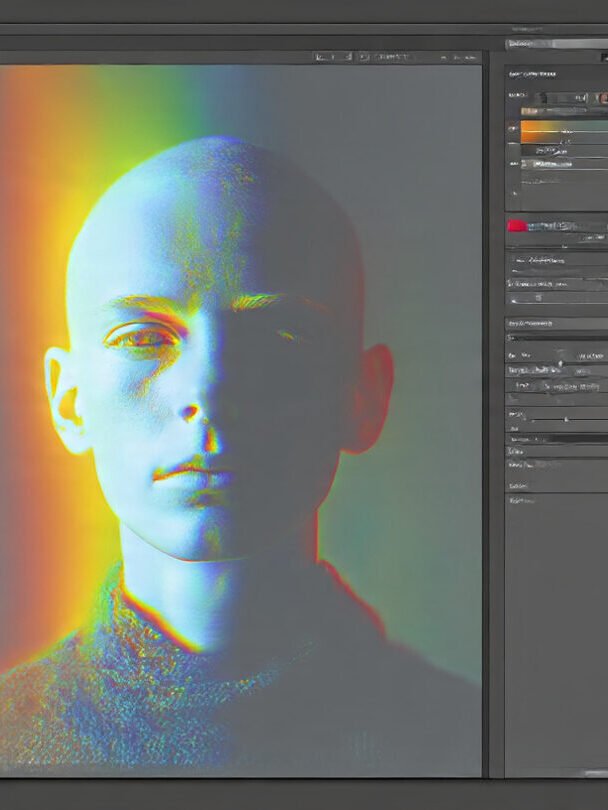
Step 2: Upload to the AI Converter
Navigate to the dedicated tool page: https://imageconverthq.com/old-photo-to-hd/.
Look for the “Upload” or “Choose File” button. Select your digitized image file (JPEG, PNG, or TIFF). The platform will securely upload your image.
Step 3: Select Enhancement Options
Depending on the tool’s interface, you might be prompted to select specific options:
- Restoration Level: Choose the degree of scratch and damage repair needed.
- Upscaling Factor: Select the desired output resolution (e.g., 2x, 4x, or HD/4K).
- Colorization: Toggle the option to convert black and white to colour, if applicable.
Once your options are set, click the “Convert” or “Start Restoration” button.
Step 4: Review and Download Your HD Image
The AI will process the image, which usually takes only seconds. You will be presented with a before-and-after comparison. Take your time to inspect the new HD image. Notice the clarity in faces, the removal of scratches, and the improved color saturation.
Once satisfied, click the “Download” button to save the HD image converter result directly to your device.
Advanced Use Cases: Beyond Simple Restoration
The ability to convert old photos to HD resolution opens up a world of possibilities far beyond just viewing them on a screen.
1. High-Quality Printing and Framing
A low-resolution image printed at a large size will look blurred and blocky. By using an AI photo restoration tool to upscale the image to true HD or 4K, you can confidently print that precious family portrait onto canvas or a large frame without sacrificing quality. This is the ultimate way to honor those vintage moments.
2. Digital Archiving and Backup
Original photo prints continue to degrade over time. Digitizing them and converting them to HD creates a permanent, pristine digital archive. These files can be backed up to the cloud, ensuring your memories are safe for future generations, regardless of what happens to the physical prints.
3. Animated and Video Projects
Sharp, clear images are essential for inclusion in video montages, documentaries, or family history projects. Using the HD image converter, you can transform soft, grainy source material into clear assets that look professional in a high-definition video timeline.
4. Genealogy and Historical Research
For those tracing their family tree, having crystal-clear images of ancestors can be incredibly powerful. AI enhancement often reveals tiny details in clothing, background signage, or architecture that were previously too blurry to decipher, adding valuable context to historical records.
5. Creative Repurposing
Once you have a high-resolution version, you can get creative:
- Make custom gifts (mugs, t-shirts, calendars).
- Use them in digital art projects or collages.
- Share them on social media with confidence in their sharpness and detail.
Troubleshooting Common Questions about AI Upscaling
As with any advanced technology, users often have questions about the limitations and best practices of AI photo restoration.
Q: Can AI restore a completely destroyed photo?
A: While AI is incredibly powerful, it cannot reconstruct information that is 100% missing (e.g., an entire section torn out). However, it is exceptionally good at recreating textures, filling in small missing areas, and guessing detail where the information is only slightly blurred or degraded. Always start with the best possible scan of the original.
Q: Does the AI tool cost money?
A: Many AI tools, including ImageConvertHQ, often offer free trials or limited free conversions. This allows you to test the quality of the HD output on your own specific photos before committing to any potential premium service. Check the ImageConvertHQ Old Photo to HD page for the current offer.
Q: Is it safe to upload my personal photos?
A: Reputable services prioritise user data security. Images are generally processed temporarily on secure servers and are not permanently stored or shared. Always review the privacy policy of the platform you use.
Q: Can this tool fix colour negatives or slides?
A: Yes, the process for negatives and slides is similar. You must first scan or digitize the negative/slide, converting it into a positive image file. Once you have a digital file (which will often be low-quality and colour-shifted), the AI restoration tool can take over to make blurry old photos clear and correct the colors.
The Future of Digital Memories: Instant HD Conversion
We are living in an exciting era where the line between damaged past and crystal-clear present is blurring, thanks to tools like the HD image converter we’ve explored. The time, cost, and skill barriers to professional photo restoration have been virtually eliminated.
Your task is simple: find those old, neglected photos, give them the digital life they deserve, and ensure those cherished moments are preserved in stunning HD for the future. Don’t let your ancestors’ smiles remain faded, or historical details stay blurry.
It’s time to bring your memories back to life. Click the link below and start your free HD conversion today:
START CONVERTING YOUR OLD PHOTOS TO HD NOW!
Whether you are looking to convert old photos to HD, upscale old photos to 4K, or simply restore faded pictures, the power of AI is waiting to transform your archives. Try the tool, share your restored photos, and enjoy your crystal-clear memories!

No responses yet