


Advanced Color Translator
HEX, RGB, CMYK & HSL converter with live preview
Hex/RGB/CMYK Color Translator
Introduction to Color Models
Understanding color models is essential for anyone involved in design, digital graphics, or printing. A color model is a systematic way to represent colors, allowing designers and artists to create, manipulate, and reproduce colors consistently across various mediums. The three primary color models widely used across digital and print media are HEX, RGB, and CMYK, each serving distinct purposes and applications.
The HEX color model is predominantly used in web design and digital graphics. It defines colors in a six-digit hexadecimal format, making it easy to use for online applications. HEX codes allow designers to specify colors with great precision. For example, the shade of red represented by the HEX code #FF0000 corresponds to pure red, while variations can be created by altering the values for green and blue components.
On the other hand, RGB (Red, Green, Blue) is a color model primarily used for displaying colors on electronic devices such as monitors, televisions, and smartphones. In the RGB model, colors are created through the additive mixing of red, green, and blue light. Each color component is represented by a value ranging from 0 to 255, enabling a vast spectrum of colors. This model is particularly effective in digital design, enhancing visual experiences on screens.
Conversely, the CMYK color model, which stands for Cyan, Magenta, Yellow, and Key (Black), is essential in the printing industry. Unlike RGB, which is an additive model, CMYK operates on a subtractive basis, where colors are created by subtracting varying percentages of light absorbed by the inks on paper. This model is crucial for achieving accurate color reproduction in print materials.
Each of these color models plays a significant role in the creative process. Understanding their unique characteristics and applications lays the groundwork for seamless color conversions using tools designed for translating HEX codes to RGB, CMYK, and vice versa.
What is a HEX Color Code?
HEX color codes are a widely used method for defining colors digitally in web design and development. The term “HEX” stands for hexadecimal, which is a base-16 numbering system that utilizes sixteen symbols: 0-9 and A-F. A HEX color code is a six-character string that begins with a hash symbol (#) followed by three pairs of hexadecimal digits. Each pair represents the intensity of red, green, and blue (RGB), respectively. For instance, in the HEX code #FF5733, “FF” corresponds to red, “57” to green, and “33” to blue.
To comprehend the structure of a HEX code, it is essential to recognize that each pair can range from 00 to FF (0 to 255 in decimal). This range allows for a vast array of possible colors, with 256 levels for each primary color. As a result, the combination of these three primary colors can yield over 16 million possible colors, which is crucial for creating visually rich designs.
HEX codes are predominantly used in HTML and CSS, where they provide a standard way to implement colors on web pages. Developers often utilize these codes to ensure consistency and precision in color representation across various platforms and devices. For example, a background color in CSS can be defined with a HEX code as follows:
body { background-color: #FF5733;}This method ensures the exact shade is used, contributing to a harmonious and visually appealing design. The ease of use and compact nature of HEX color codes make them particularly favored in web development and graphic design, forming an integral part of digital media aesthetics.
Understanding RGB and CMYK Color Models
The RGB and CMYK color models serve as fundamental frameworks for color representation in different mediums. RGB, which stands for Red, Green, and Blue, is an additive color model wherein colors are created by combining varying intensities of these three primary colors. When utilized on screens and digital displays, RGB employs light; the more light added, the brighter the color becomes. Consequently, when all three colors are combined at full intensity, they produce white, while the absence of light results in black.
Conversely, CMYK is a subtractive color model that employs four colors: Cyan, Magenta, Yellow, and Black (Key). This model is predominantly used in color printing, where colors are generated by overlapping ink layers on a white background. Each ink layer absorbs certain wavelengths of light while reflecting others, effectively subtracting colors from white. In a typical printing scenario, combining all four inks ideally leads to a deep black; however, due to limitations in ink mixtures, black ink is included to enhance depth and contrast.
The necessity for conversions between RGB and CMYK arises from the stark differences in how colors are perceived and produced in digital versus print formats. A color that appears vibrant on a screen in the RGB format may lose its vibrancy when printed using the CMYK model. This discrepancy happens due to the variations in color gamuts between these two models. RGB can represent a broader spectrum of colors than CMYK, which is confined by the ink properties and paper type used in printing. Therefore, understanding the distinctions between these models is crucial for designers and artists to achieve the desired color outcomes in both digital and print media.
Overview of Online Color Converter Tools
In the realm of graphic design, digital art, and web development, the accurate representation of colors is paramount. Online color converter tools, specifically those designed to transform HEX color codes into RGB or CMYK formats, have become invaluable resources for professionals and amateurs alike. These tools facilitate quick conversions that save time, enhance productivity, and ensure color consistency across various media.
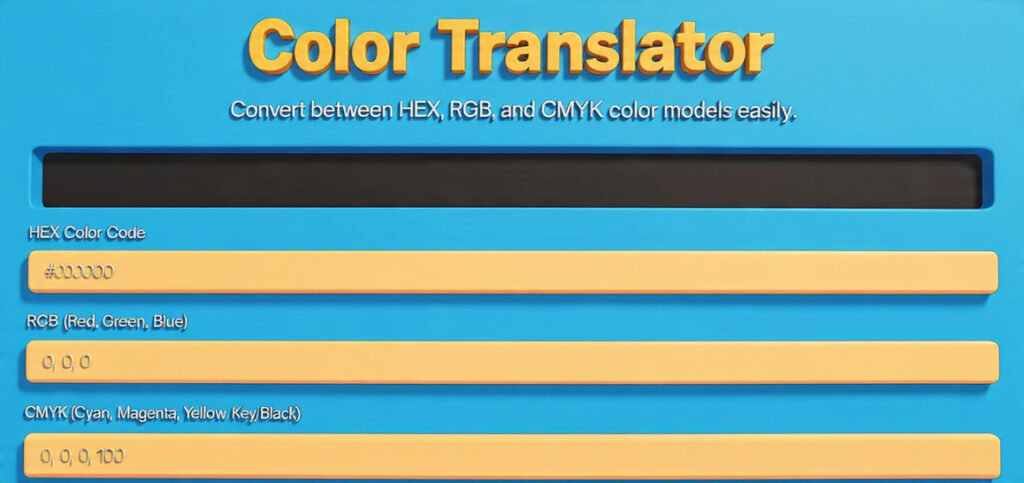
One of the primary benefits of using an online color converter is its user-friendly interface, which simplifies the conversion process. Most tools only require users to input a HEX code, after which the tool automatically provides corresponding RGB and CMYK values. This straightforward functionality allows even those with minimal technical expertise to achieve precise color conversions.
Accessibility is another significant advantage of online color converters. They can be accessed through any device with an internet connection, eliminating the need for software installations. This is particularly beneficial for users who may work across different platforms or on-the-go, ensuring that conversion capabilities are always within reach.
Accuracy is a critical feature that distinguishes various online color converters. Reputable tools utilize robust algorithms to ensure that the conversion from HEX to RGB or CMYK is reliable. Some advanced converters even offer additional features, such as a color palette generator, contrast checking, or even color harmony suggestions, which can further enhance the design process.
When selecting an online color converter tool, users should consider the specific features that align with their workflow needs. Some tools may prioritize speed, while others may emphasize comprehensive conversion options or additional design utilities. By evaluating the options available, users can identify the most suitable tool to meet their individual requirements.
Accessing the Color Converter Tool
To begin the process of converting HEX colors to RGB or CMYK formats, the first step involves accessing a reliable online HEX to RGB/CMYK converter tool. Start by opening your preferred web browser, such as Google Chrome, Firefox, or Safari, and navigate to the search bar.
In the search bar, type in “free HEX to RGB/CMYK color converter” and press the enter key. This shall generate a list of available online converter tools. When reviewing your search results, it is essential to consider a few key factors that contribute to the reliability and functionality of the tool you select. First, evaluate the website’s design; a well-organized and professional appearance often indicates a trustworthy source. Secondly, look for a tool that receives positive reviews or high ratings from users; browsing through comments or testimonials can provide insight into the effectiveness and ease of use of the converter.
Alongside reviews, check whether the tool offers clear instructions on how to use it. A user-friendly interface is crucial as it helps facilitate a smooth conversion process. Additionally, ensure that the converter supports both RGB and CMYK outputs, as this will allow you to choose the appropriate format for your project.
Moreover, consider whether the tool provides additional color information, such as the hex code’s luminance or transparency measures, which might be beneficial for your application. Once you identify a suitable HEX to RGB/CMYK converter, click on the link to access the tool. Make sure to bookmark the page for future reference, and be prepared to input your desired HEX code in the tool’s designated area for conversion.
Entering the HEX Color Code
To begin the conversion process using a free HEX to RGB or CMYK color converter, the first essential step is entering the correct HEX color code. This six-digit alphanumeric code is a standard representation of colors in web design and digital graphics. It is important to ensure that the code is accurately formatted; typically, HEX color codes begin with a hash symbol (#) followed by six characters, which can be numbers or letters ranging from A to F. An example of a well-formatted HEX color code is #34A853.
For users unfamiliar with HEX color codes, there are various resources to find these codes. Graphic design applications like Adobe Photoshop and Illustrator provide tools to identify and select colors, displaying the corresponding HEX codes. Furthermore, dedicated color palette websites, such as Coolors or ColorHexa, allow users to browse and generate color combinations while displaying their HEX codes. Utilizing these tools can simplify the process of selecting a specific hue for conversion.
When entering the HEX code into the converter tool, it is crucial to avoid any extra characters, spaces, or incorrect format. If the tool does not recognize the input, errors may occur, hindering the conversion process. A suggested best practice is to double-check the entered HEX code for accuracy before proceeding. Additionally, some converter tools may provide an option to copy and paste HEX codes directly, further reducing the possibility of typographical errors.
In conclusion, correctly entering the HEX color code is a fundamental step in utilizing a free HEX to RGB or CMYK color converter. By identifying the appropriate HEX codes through graphic design software or color palette websites, you can ensure a smooth and effective conversion process.
Step 3: Converting to RGB/CMYK
Once you have entered the desired HEX code into the free hex to RGB/CMYK color converter online tool, the next step is to initiate the conversion process. Typically, there will be a button labeled “Convert,” “Submit,” or similar to perform this action. Click on that button to begin the transformation of your HEX code into RGB and/or CMYK values. In most instances, the tool will display the results almost immediately; however, be aware that some converters may experience brief loading times as they process the conversion. Patience during this step is crucial, especially if you are working with a slow internet connection.
Upon conversion, the tool will output the corresponding RGB values, often presented in the format of three integers ranging from 0 to 255, representing the red, green, and blue components of the color. For CMYK conversions, you should see four values, each representing the percentage of cyan, magenta, yellow, and black. It is important to interpret these results accurately, as they are vital for applications ranging from graphic design to printing. Many tools also provide a visual representation of the color, which aids in validating that the output closely matches the intended hue.
Moreover, checking the outputted color’s accuracy is essential, especially when working on projects demanding precise color specifications. Errors in color conversions can lead to miscalculations in design or discrepancies in printed materials. Therefore, once you receive the results, review them against your expectations and adjust your input HEX code if necessary. Maintaining the integrity of your color choices ensures that the final results—be it for digital displays or printed outputs—convey the message you intend. Following these guidelines will help you effectively utilize the hex to RGB/CMYK conversion tool.
Step 4: Saving and Using the Converted Colors
Once you have successfully converted your hex color values to RGB or CMYK using an online tool, the next vital step is to save and utilize these converted colors in your projects effectively. The usage of RGB and CMYK color models varies significantly, making awareness of your specific project requirements essential.
For projects centered on digital interfaces, such as website design or applications, RGB is the preferred color model. You can save your RGB values directly from the converter tool, typically in an easily accessible format, such as a text file or through clipboard copying. When implementing these colors into your design software, such as Adobe Photoshop or Sketch, simply input the RGB values into the color picker. This ensures that your colors appear vibrant and accurate on digital screens, providing an optimal user experience.
On the other hand, if your project involves print media, the CMYK color model is the standard, as it is specifically tailored for printing purposes. After converting your hex color to CMYK, be sure to copy and save these values appropriately. While preparing files for print, it is crucial to use the correct output settings. Many graphic design programs offer preset configurations for print layouts. Ensure that your document is set to CMYK mode, and double-check the color profiles associated with your printer to avoid any discrepancies in hue during printing.
In addition, for web designers, you may find it beneficial to create a style guide or a color palette, including both RGB and CMYK values. This approach allows for consistent branding across various platforms and media formats, facilitating a cohesive visual identity. By maintaining accurate color values and understanding their application, you can effectively enhance the appeal and professionalism of your projects, whether digital or printed.
Conclusion and Additional Resources
Converting HEX color codes to RGB or CMYK formats is an essential skill for designers and anyone working with digital or print media. The simplicity of using an online hex to RGB/CMYK color converter tool streamlines this process, ensuring accuracy and saving valuable time. By understanding the importance of color representation across different media, users can make informed decisions in their design projects, thereby enhancing the overall visual quality of their work.
A free hex to RGB/CMYK converter online tool provides a user-friendly interface that allows for quick conversions with just a few clicks. Such tools eliminate the need for manual calculations, minimizing potential errors and ensuring that the colors you select translate well to various applications. Whether you are designing for web or print, knowing how to properly convert colors is paramount for maintaining visual integrity and brand consistency.
In addition to exploring conversion tools, it is beneficial to deepen your understanding of color theory. Many online resources offer comprehensive insights into the color wheel, color harmony, and the psychological impact of colors in design. These guides can greatly assist designers in making deliberate choices about color palettes, ensuring their project achieves the intended message and aesthetic appeal.
For further exploration, consider additional online tools available for various color conversions, as well as websites dedicated to color selection and palette inspiration. Engaging with these resources will not only enhance your skills in using color effectively but also broaden your understanding of design principles. Take advantage of these free tools and guides to elevate your design projects to the next level.
