


Generating PDF…
Resume Builder
ReadyFree Resume Builder
Our Free Resume Builder is the best Online CV Maker. Create a resume online with a professional resume template and get a one-click PDF resume download.
In today’s competitive job market, a standout resume is more than just a document—it’s your ticket to an interview. But crafting a professional, modern, and effective resume can be challenging and time-consuming. That’s why we created this powerful free resume builder to help you create a stunning resume that hiring managers will love.
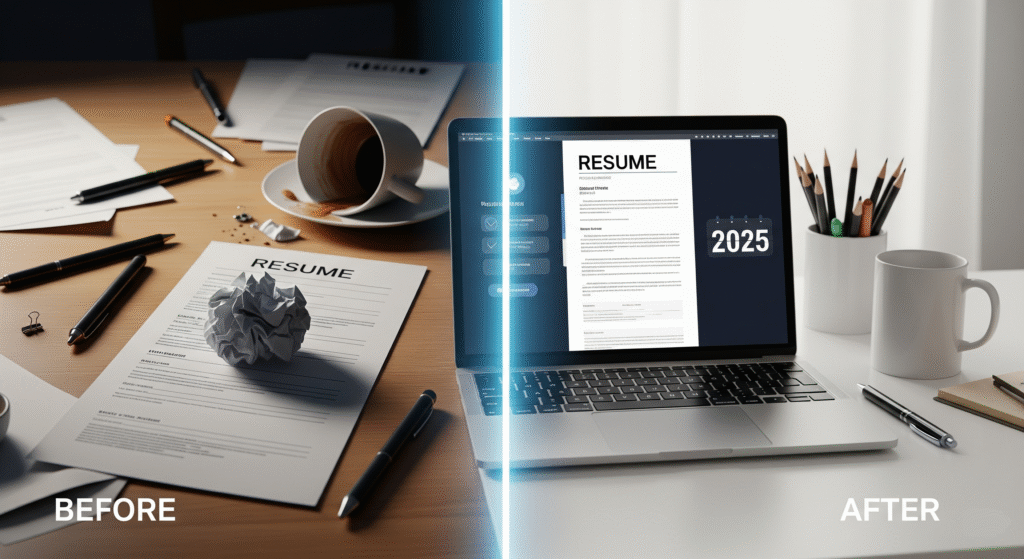
Whether you’re a recent graduate or an experienced professional, our tool provides everything you need to build a CV that highlights your skills and experience perfectly.
Why a Professional Resume is Your Most Important Career Tool

Think of your resume as your personal marketing document. It’s often the very first impression a potential employer has of you. A well-structured, easy-to-read, and visually appealing resume can:
- Pass the 7-Second Test: Recruiters spend only a few seconds scanning each resume. A great design helps them find the most important information quickly.
- Beat the Applicant Tracking System (ATS): Many companies use software to filter resumes. Our tool helps create resumes that are ATS-friendly.
- Showcase Your Professionalism: A clean, error-free resume shows that you are detail-oriented and serious about your career.
How Our Free Resume Builder Makes Your Life Easier
We designed this tool to be powerful yet incredibly simple. Here’s what makes it the best online CV maker available:
- Live Visual Editor: No more guesswork! As you type your information into the form, you can see your resume come to life in a beautiful, professional template in real-time. What you see is exactly what you get.
- Stunning, Modern Templates: Forget boring, outdated formats. Our resume design is modern, clean, and created to impress recruiters.
- One-Click PDF Download: With a single click, you can download a high-quality, pixel-perfect PDF of your resume, ready to be sent to employers.
- Rich-Text Copy & Paste: Need to paste your resume into an email or an online application? Our copy feature preserves all the formatting—bold text, sections, and layout—so it looks perfect everywhere.
- Completely Free, Forever: There are no hidden charges, watermarks, or sign-ups required. It’s a truly free tool designed to help you succeed.
A Step-by-Step Guide to Creating Your Resume
- Fill in Your Details: Start by entering your personal and contact information in the form on the left.
- Write a Powerful Summary: Craft a short, compelling professional summary that highlights your key skills and career goals.
- Detail Your Experience & Education: Add your work experience and educational qualifications. Use the “Add” buttons to include multiple roles or degrees.
- List Your Skills: Add your relevant skills, separated by commas. The tool will format them beautifully.
- Preview and Perfect: Watch your resume update live on the right. Make any changes you need until it’s perfect.
- Download or Copy: Once you’re happy, click “Download PDF” to save the file or “Copy Resume” to paste it elsewhere. It’s that simple!
Tips for a Job-Winning Resume
- Tailor it to the Job: Customize your resume for every job application. Use keywords from the job description.
- Use Action Verbs: Start your bullet points with powerful action verbs like “Managed,” “Achieved,” “Led,” or “Developed.”
- Quantify Your Achievements: Instead of just listing duties, highlight your accomplishments with numbers. For example, “Increased sales by 20% in six months.”
- Keep it Concise: Aim for a one-page resume if you have less than 10 years of experience.
- Proofread, Proofread, Proofread: Typos and grammatical errors can get your resume rejected instantly. Read it carefully and ask someone else to check it too.
Ready to land your dream job? Create your professional resume online with our tool now!
🔧 ImageConvertHQ.com
✨ “Transform your images like a pro — smarter tools, faster results!”
📰 Govts.Cloud
🔥 “Stay ahead with the latest Govt Jobs, Exams & Breaking News — all in one place!”