

Free JSON Formatter
Introduction: Struggling to Read Messy JSON Data?
Have you ever opened a block of raw JSON and felt completely lost?
Unclear indentation, missing commas, or one small bracket error can turn a simple task into a frustrating debugging nightmare.
For developers, API testers, and anyone working with data, JSON formatting issues are extremely common. Most JSON responses are minified for performance, making them difficult for humans to read and debug.
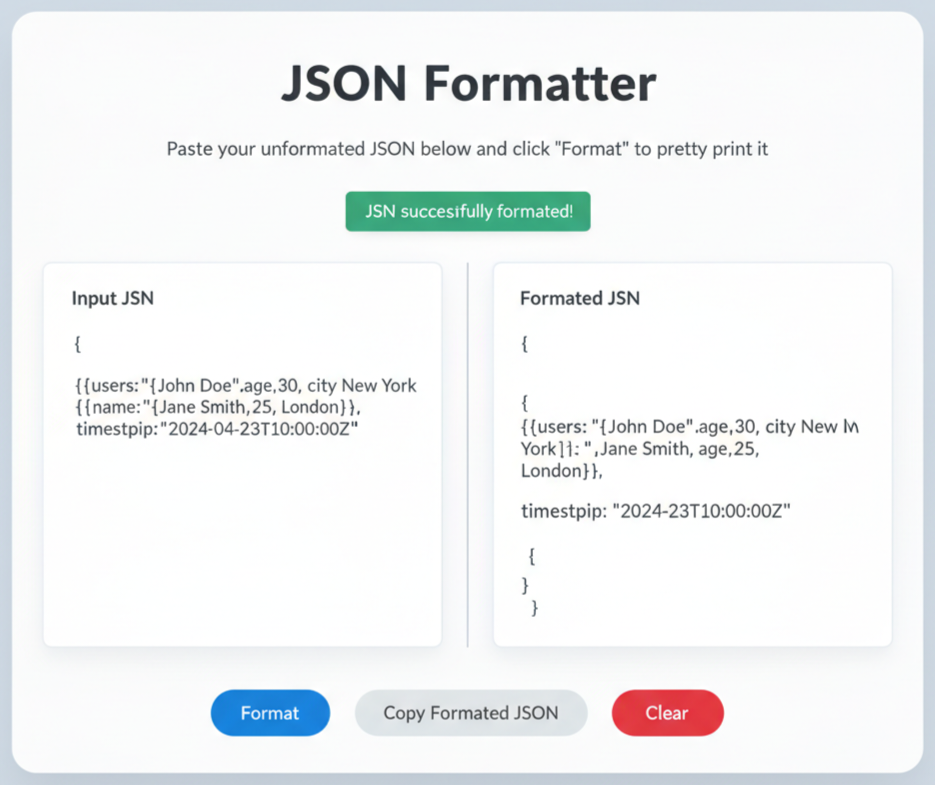
That’s exactly why we built our Free Online JSON Formatter and Validator — a simple yet powerful tool that instantly converts messy JSON into a clean, readable, and error-free format.
👉 Try it here:
https://imageconverthq.com/json-formatter/
What Is JSON and Why Does Formatting Matter?
JSON (JavaScript Object Notation) is a lightweight data format used to store and exchange data between systems. It is widely used in APIs, configuration files, and web applications because it is fast, language-independent, and easy for machines to parse.
However, JSON is often minified to reduce file size. While this is great for servers, it makes the data almost unreadable for humans.
Why JSON Formatting Is Important
- Improved Readability – Clearly see objects, arrays, and key-value relationships
- Faster Debugging – Spot errors instantly
- Cleaner Development Workflow – Less time fixing syntax issues
Formatting (also called pretty printing) adds proper indentation and line breaks, turning unreadable JSON into a structured format.
Beyond Formatting: Why JSON Validation Is Essential
Formatting alone is not enough. Your JSON must also be valid.
A JSON Validator checks whether your data follows proper JSON syntax rules. Even a small mistake can break an entire API response or configuration file.
Common JSON Errors Our Validator Detects
- Missing commas between key-value pairs
- Unmatched brackets
{ }or[ ] - Incorrect quotes (JSON requires double quotes only)
- Trailing commas, which are not allowed in JSON
Our tool highlights these errors instantly, saving you hours of manual debugging.
Powerful Features of Our JSON Formatter Tool
Our tool goes beyond basic formatting and offers advanced features designed for real-world use.
1. JSON Formatter (Pretty Print)
Transforms raw or minified JSON into a clean, readable structure with proper indentation. Perfect for development, debugging, and learning.
2. JSON Minifier
Minification removes all unnecessary spaces and line breaks.
Why Minify JSON?
- Faster API responses
- Reduced file size
- Lower bandwidth usage
- Better performance in production environments
3. Interactive JSON Tree View
Large and deeply nested JSON files can be hard to understand.
Our Tree View displays JSON data in a collapsible hierarchy, allowing you to:
- Expand or collapse objects
- Explore complex API responses
- Find specific values quickly
This feature is extremely useful for API testing and data analysis.
4. 100% Client-Side & Secure
Your privacy matters.
All formatting and validation happen directly in your browser.
Your JSON data is never uploaded to our servers, making the tool completely safe for sensitive data.
How to Use the JSON Formatter & Validator (Step-by-Step)
Step 1: Open the Tool
Visit:
👉 https://imageconverthq.com/json-formatter/
Step 2: Paste Your JSON
Paste your raw, minified, or broken JSON into the input box.
The validator starts checking errors instantly.
Step 3: Choose an Action
- Format – Beautify your JSON
- Minify – Compress JSON
- Tree View – Visualize JSON structure
Step 4: Copy or Download
Copy the output or download it as a .json file with one click.
Who Can Use a JSON Formatter?
This tool is useful for anyone working with structured data.
- Web Developers – Debug API responses and config files
- Frontend & Backend Engineers – Improve workflow efficiency
- API Testers – Validate response structure
- Data Analysts – Understand JSON datasets
- Students – Learn JSON syntax and hierarchy
- System Administrators – Edit JSON configuration files safely
Frequently Asked Questions (FAQs)
What is the difference between JSON and XML?
JSON is lighter, faster, and less verbose than XML, making it ideal for modern web applications.
Is my data safe?
Yes. The tool works entirely in your browser. No data is sent to any server.
Can I use this JSON formatter on mobile?
Absolutely. The tool is fully responsive and works on all devices.
Why is my JSON not working?
Common reasons include:
- Missing commas
- Extra commas at the end
- Incorrect quotation marks
- Missing brackets
Use our validator to locate errors instantly.
What is the difference between formatting and minifying JSON?
- Formatting makes JSON readable for humans
- Minifying makes JSON smaller for faster machine processing
Conclusion: Simplify JSON Handling Instantly
Working with JSON doesn’t have to be difficult. Our Free Online JSON Formatter and Validator helps you format, validate, minify, and visualize JSON data in seconds.
Whether you are a professional developer or a beginner, this tool will:
- Save time
- Reduce errors
- Improve productivity
👉 Try the JSON Formatter now:
https://imageconverthq.com/json-formatter/
Stop wasting time debugging messy JSON and start working smarter today.
One response
Hey would you mind letting me know which hosting company you’re working with? I’ve loaded your blog in 3 completely different web browsers and I must say this blog loads a lot faster then most. Can you recommend a good internet hosting provider at a reasonable price? Thanks, I appreciate it!